

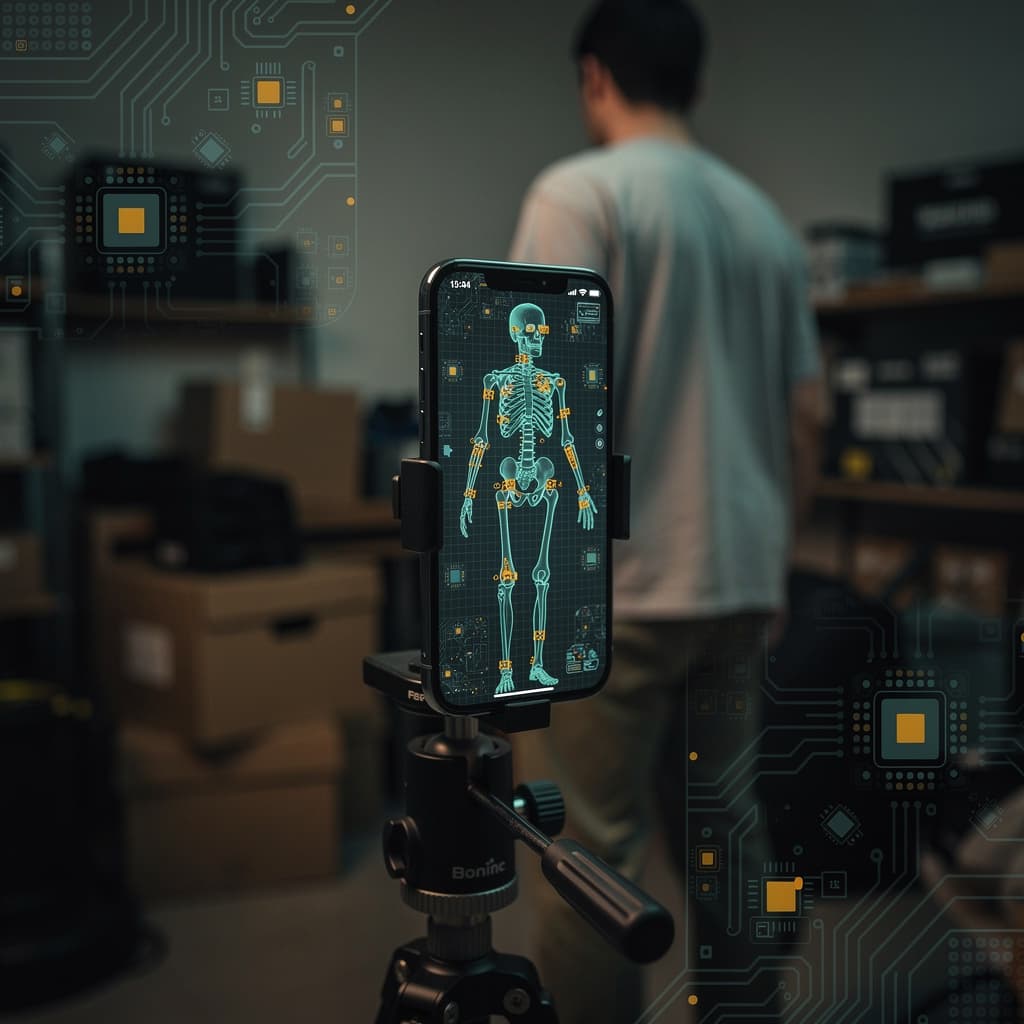
A pose detection model running on a phone is three pieces in a trench coat. A camera frame becomes a tensor. The tensor goes through a small neural network that outputs probability heatmaps for around twenty body keypoints. A second pass turns those heatmaps into coordinates the app can use to draw skeletons. Each piece has its own failure mode. Bad lighting destroys the camera frame; loose clothing confuses the model; a crowded background breaks the tracking.
The system (what it actually does)
Pose detection takes a stream of images and locates body landmarks—shoulders, elbows, wrists, hips, knees, ankles—in pixel space. On a mobile device, the entire pipeline runs locally. A camera delivers frames at 30 or 60 per second, a lightweight neural network predicts joint heatmaps, and a decoder extracts coordinates. The output is a skeleton that an app can use for fitness tracking, AR, or gesture control. The system does not understand anatomy; it understands patterns of brightness that correlate with body parts across thousands of labeled examples.
Each layer (sensor / model / app)
Sensor
The camera is the entry point. It captures a 2D array of pixels, typically at VGA or 720p resolution to keep computation low. Exposure, white balance, and focus are handled by the phone’s ISP before the frame reaches the model. Inconsistent exposure across frames can shift keypoint confidence, and motion blur from fast movement smears the pixel grid. The sensor layer has no pose knowledge; it just provides raw luminance and chrominance. Any defect here propagates upward.
Model
Mobile pose models often use a MobileNet backbone with a U-Net–style decoder or a simple heatmap regression head. The encoder compresses the image into a feature map. The decoder upsamples that map and produces a heatmap per keypoint—typically 17 to 21 channels, each a probability distribution over pixel locations. A soft-argmax or coordinate classification step converts heatmaps to (x, y) coordinates. Some systems, like MovePose, add transposed convolution upsampling and use SimCC for coordinate prediction, while others rely on multi-stage refinement to correct initial estimates. The model is trained on datasets with labeled joints, learning to ignore clothing texture, occlusions, and background clutter—up to a point.
App
The app receives a stream of keypoint coordinates and builds a skeleton overlay. It may apply temporal smoothing to reduce jitter, enforce anatomical constraints like bone length consistency, or trigger events when certain poses are detected. The app layer is where the skeleton becomes actionable. It also surfaces errors: a drifting foot, a missing wrist, a flickering elbow. Good apps expose uncertainty instead of hiding it.
Edge cases (where it gets interesting)
Single-person pose estimation works well when the subject faces the camera, arms uncrossed, in even light. Things get interesting with multiple people, occlusions, or unusual viewpoints. Multi-person systems must first detect individuals, then assign keypoints to each. Bottom-up approaches detect all keypoints and group them by person; top-down approaches detect bounding boxes first, then run single-person pose on each. Both strategies struggle with overlapping limbs. Temporal models that track poses across frames can help, but they introduce latency and memory cost. On mobile, the budget is tight: a model that uses too many parameters drops frames, and a dropped frame means a stuttering skeleton.
What breaks (and why that's useful to know)
Pose detection breaks in predictable ways. Low light increases sensor noise, which confuses the encoder’s feature extraction. Loose or baggy clothing changes the silhouette, causing the model to place keypoints on fabric folds instead of joints. Crowded backgrounds with complex textures or moving objects can generate false heatmap peaks. When a limb is occluded, the model must infer its position from visible context; if the context is ambiguous, the keypoint disappears or snaps to an improbable location. Fast motion introduces motion blur and large inter-frame displacement, breaking temporal smoothing assumptions. Knowing these failure modes helps when debugging an app or interpreting skeleton output. A skeleton that jitters in low light is not a model bug—it is a sensor limitation. A missing elbow during a side plank is not a crash—it is an occlusion case the training set underrepresented. The system is honest about its uncertainty if you know where to look.
References
- Towards Precise 3D Human Pose Estimation with Multi-Perspective Spatial-Temporal Relational Transformers — arxiv.org
- Human Modelling and Pose Estimation Overview — arxiv.org
- MovePose: A High-performance Human Pose Estimation Algorithm on Mobile and Edge Devices — arxiv.org
- 3D Human Pose and Shape Estimation from LiDAR Point Clouds: A Review — arxiv.org
- An End-to-End Framework for Video Multi-Person Pose Estimation — arxiv.org